1. Local Server Setup (Laragon) :- Click to Download Laragon #
- Tool Choice: Laragon is recommended for local environment setup because it is lightweight, fast, and straightforward.
- Creation Steps:
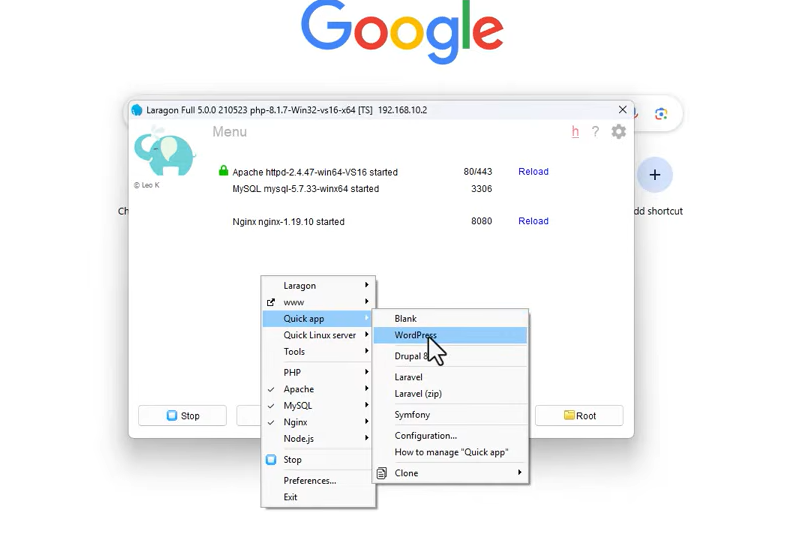
- Open Laragon, right-click anywhere on the main window, navigate to Quick App, and select WordPress.
- Specify a project name (e.g.,
wp-plugin) to start the automated installation. - Approve the Windows administrator privileges prompt to permit automatic local domain mapping.
- Click to visit Site
- Laragon configures a local domain with a pretty URL (e.g.,
wp-plugin.test) and local HTTPS support.
2. WordPress Installation & Initial Configuration #
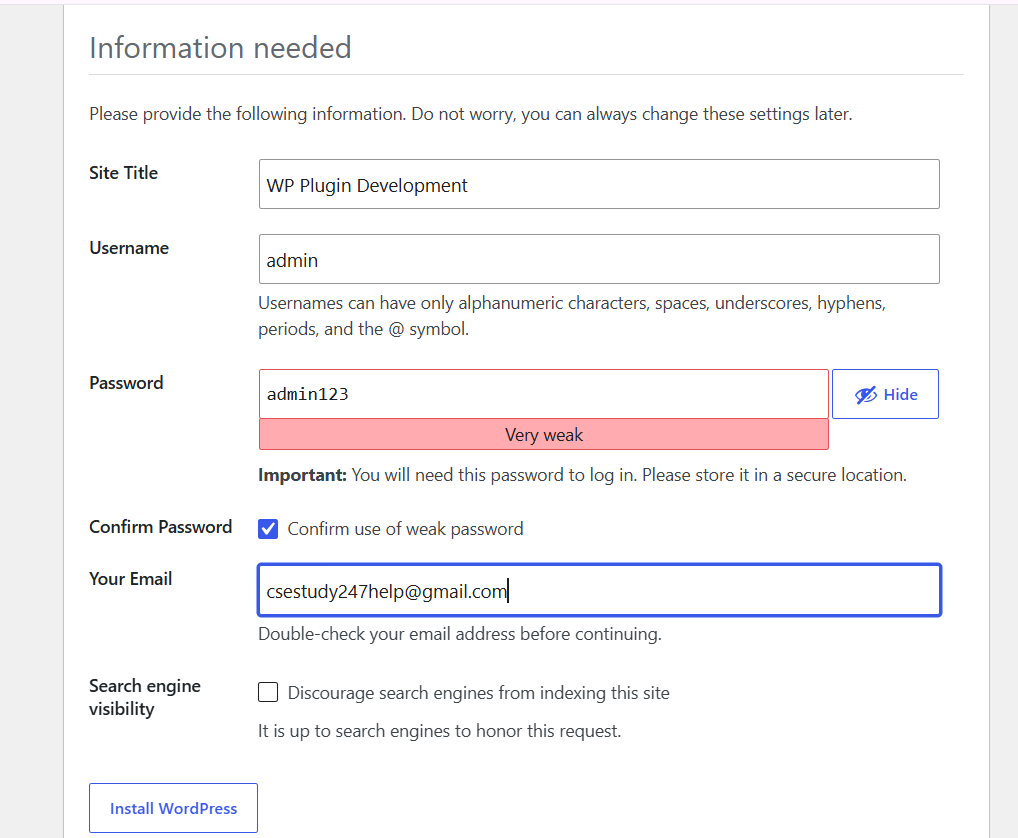
- Open the generated local URL (e.g.,
https://wp-plugin.test) in your browser to launch the WordPress Setup Wizard. - Fill in the essential installation parameters:
- Site Title: e.g., WP Plugin Development
- Username: Set your admin username (e.g.,
admin) - Password: Define a secure administrator password
- Email: Enter your email address
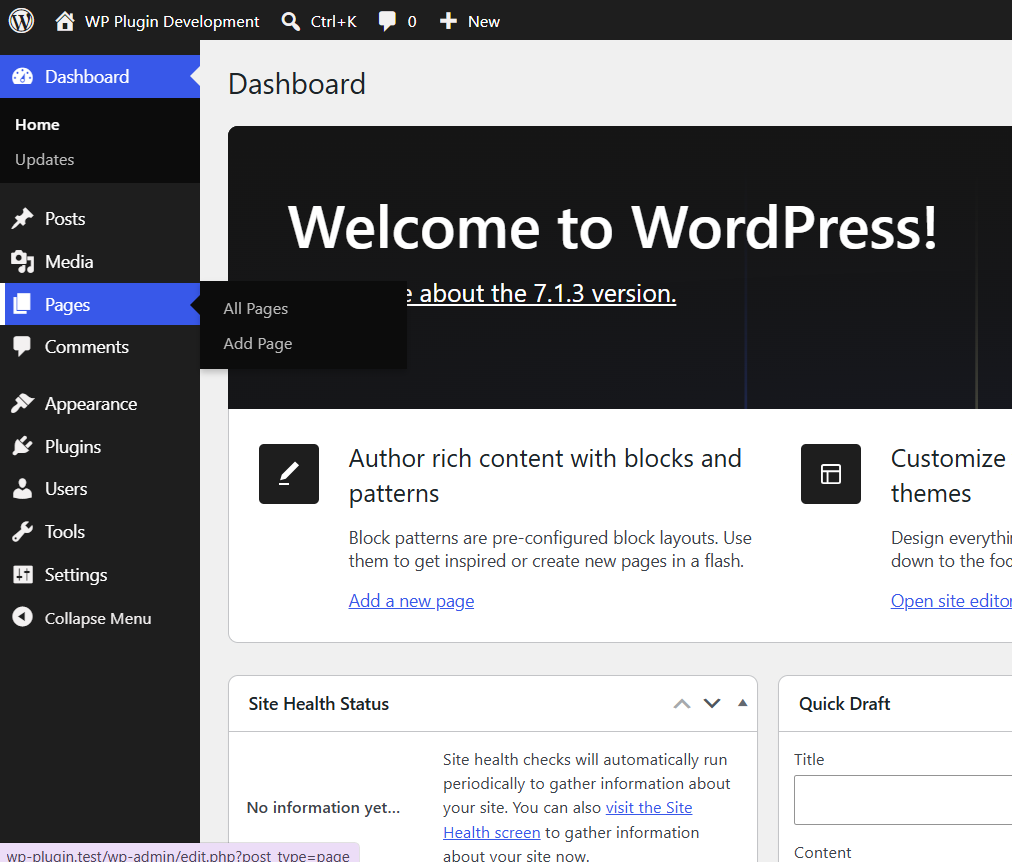
- Finalize the setup wizard and log in to the WordPress admin dashboard.
- Core Updates: Check for updates and upgrade to the latest WordPress release (e.g., WordPress 6.8).
3. Post-Installation Cleanup #
- Activate a clean default theme (such as Twenty Twenty-Five).
- Delete all other unused themes from the site to avoid unnecessary update notifications and dashboard clutter.
- Retain at most one additional default theme to use as a fallback during troubleshooting.
4. Code Editor & Extension Setup (VS Code) #
- Primary Editor: Visual Studio Code (VS Code) is used for writing and managing plugin code.
- Recommended Extensions:
- Magic WP Indigo Vibes Theme: A custom visual theme offering dark and light modes optimized for WordPress development.
- Hooks Intelligence for WordPress: Adds auto-completion, intelligent suggestions, and issue checking for WordPress actions, filters, and hooks.
- Format HTML in PHP: Helps cleanly format embedded HTML blocks inside PHP files.
- PHP Namespace Resolver: Resolves PHP namespaces and prevents naming conflicts when developing object-oriented plugins.
- WordPress Development / WP Snippets: Provides built-in code snippets for shortcodes and common WordPress function structures.
- Shades of Purple (Optional): An alternative dark-purple UI theme by Ahmad Awais.
- Continue / GitHub Copilot: AI-assisted coding extensions (to be covered in upcoming AI/vibe-coding modules).


