Google Colab provides access to GPUs, which can significantly speed up deep learning tasks such as training neural networks, CNNs, Transformers, and other large models.
Enable GPU in Colab #
First, open your Colab notebook and go to:
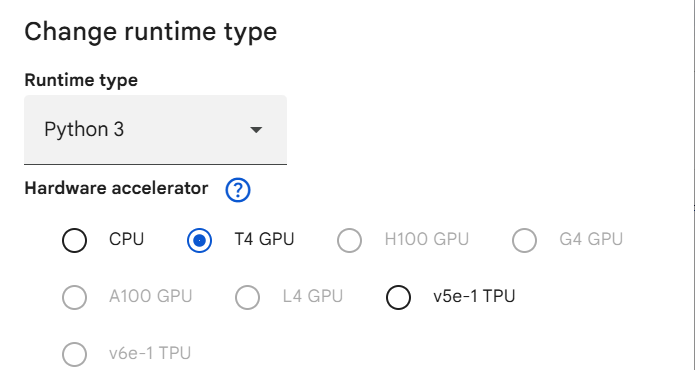
# After selecting GPU, verify that it is available.

import torch

print(torch.cuda.is_available())
print(torch.cuda.get_device_name(0) if torch.cuda.is_available() else "CPU")

# If the output is True and shows a GPU name such as Tesla T4, the GPU is ready to use.

# Output Like
# True
# Tesla T4
Do We Need to Change the Code? #
It depends on the framework. With PyTorch, you generally need to tell the model and input tensors to use the GPU:
device = torch.device("cuda" if torch.cuda.is_available() else "cpu")
model = model.to(device)
inputs = inputs.to(device)
labels = labels.to(device)
The important point is that the model and tensors should be on the same device.
If you use Hugging Face Trainer, you normally do not need to manually move the model and tensors to CUDA. The Trainer automatically handles device placement when a GPU is available.
Conclusion #
Switching the Colab runtime from CPU to GPU is the first step, but selecting GPU alone does not guarantee that your code will use it. For frameworks such as PyTorch, the model and training data must be placed on the GPU. Libraries such as Hugging Face Trainer simplify this process by handling GPU usage automatically.


